Guide for agents and photographers
AI staging changed the windows in my listing photo
It is common. AI stagers redraw the whole image, so the trees, sky and buildings through a window can quietly change even when the tool promises not to. Use staging that copies your original back over everything except the furniture, and shows you a change map to prove it.
Why it happens, and how often
Image models don't edit a photo the way a person does. They paint a new one that looks like it, guided by your photo and the instruction. Furniture is what they are asked for, so they get it right; the view through a window is small, detailed and far from the furniture, so it is where they drift.
We tested this on 3 November 2026. On 14 empty listing photos, the AI changed the property in 6, including window views, a chandelier, a wall mark and a kitchen worktop that wasn't there. In a second run the same day on 6 rooms with large windows, it left every window alone. That is the problem: it is intermittent, so a tool that looked fine on your last listing can still change the next one.
Why a changed window view matters
- California AB 723 (in force 1 January 2026) treats an altered window view as a digital alteration: the listing must say so and link to the unaltered original. What the law says.
- CRMLS rule 11.5(c) bans altering structure, flooring, walls, hardscape or views in listing photos. Other MLSs have similar rules.
- Buyers see the real view at the viewing. A photo that promised trees and delivers a car park costs trust.
Sources: CRMLS, SDMLS and Inman on AB 723, checked 3 November 2026.
Staging that keeps the windows
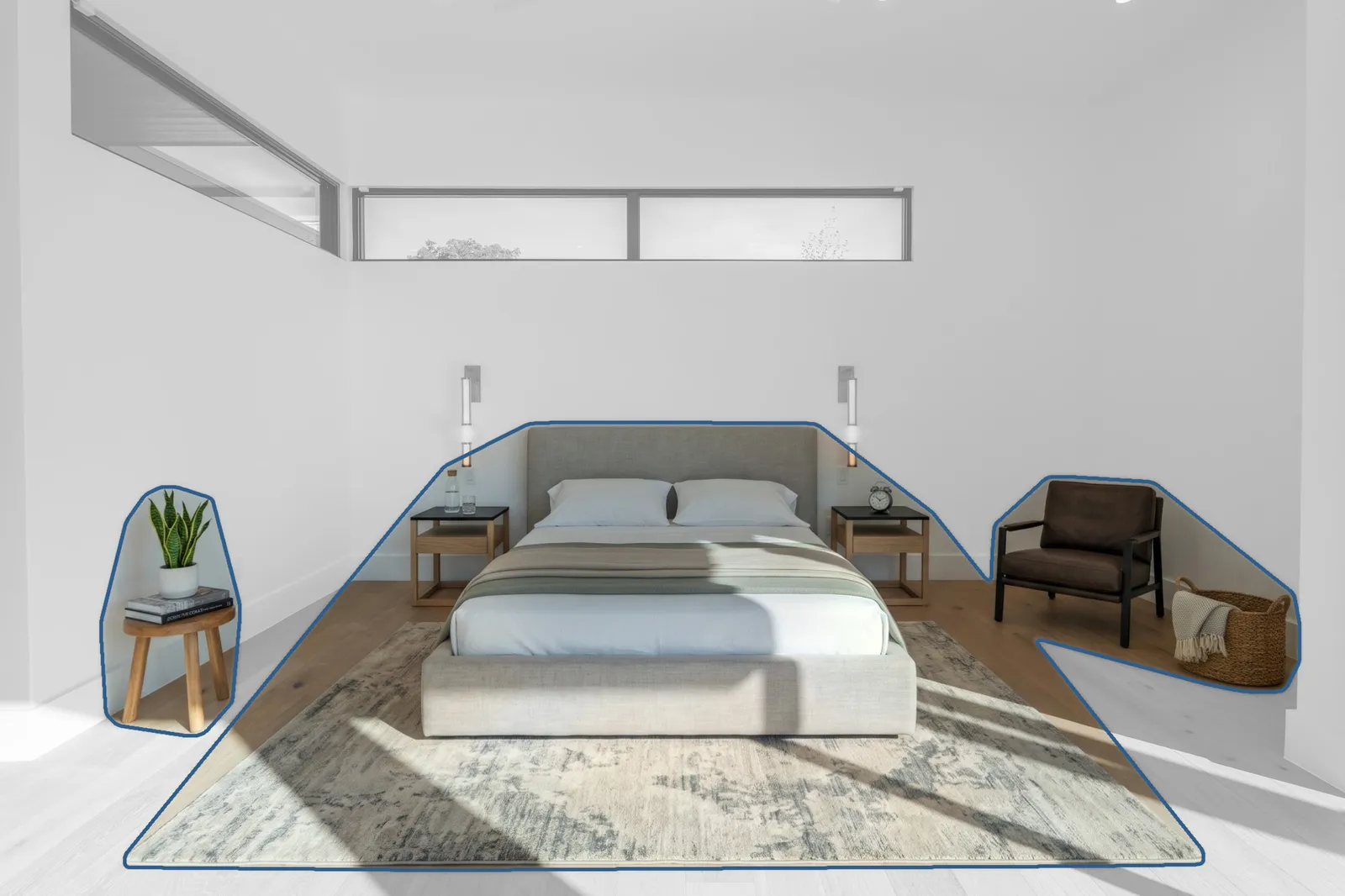
This bedroom has two long clerestory windows. The staged photo adds a bed, side tables, a rug, an armchair and a plant; the windows and the view through them come straight from the original. The change map shows it: added items outlined, everything else your photo, untouched.
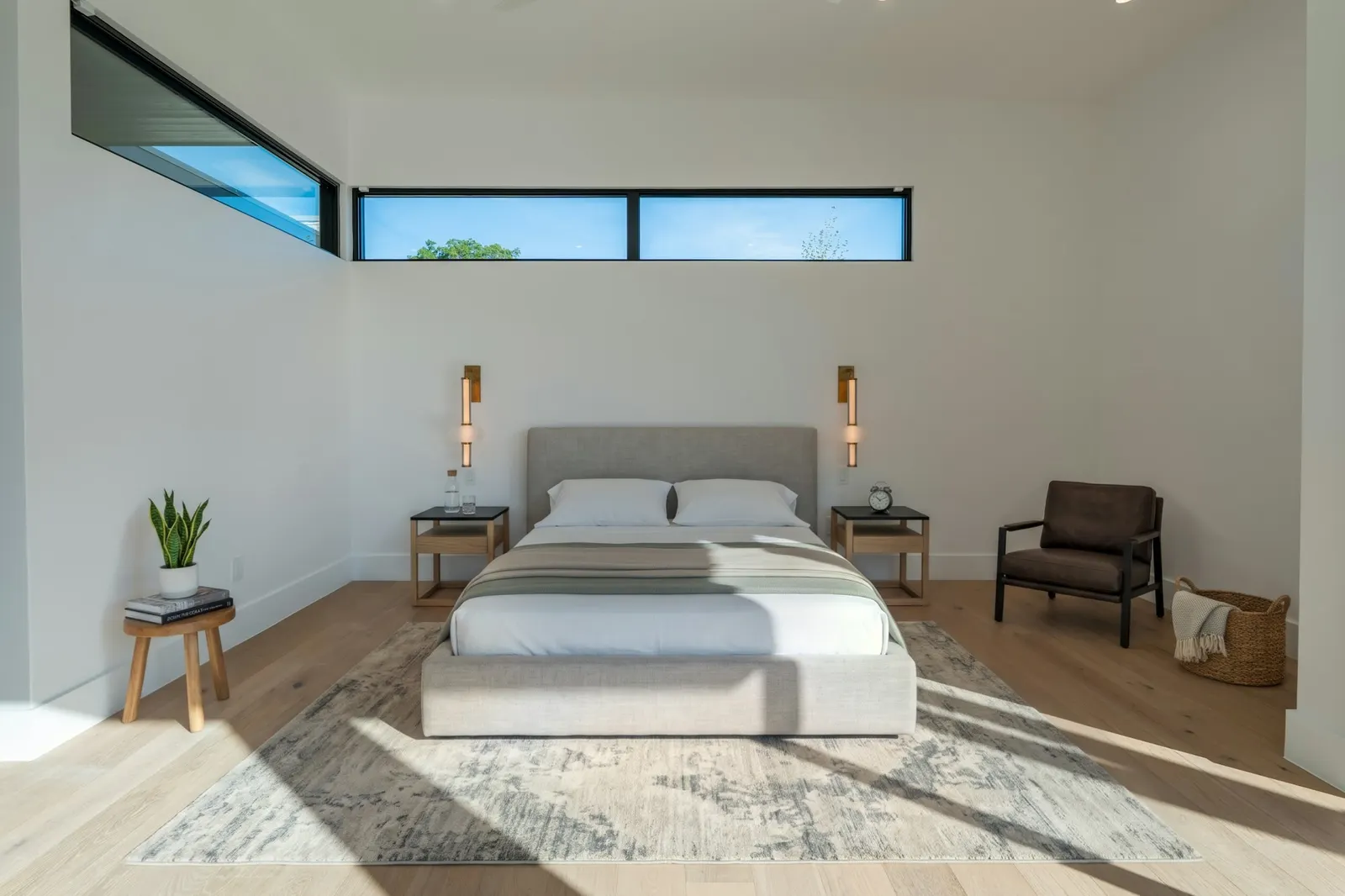
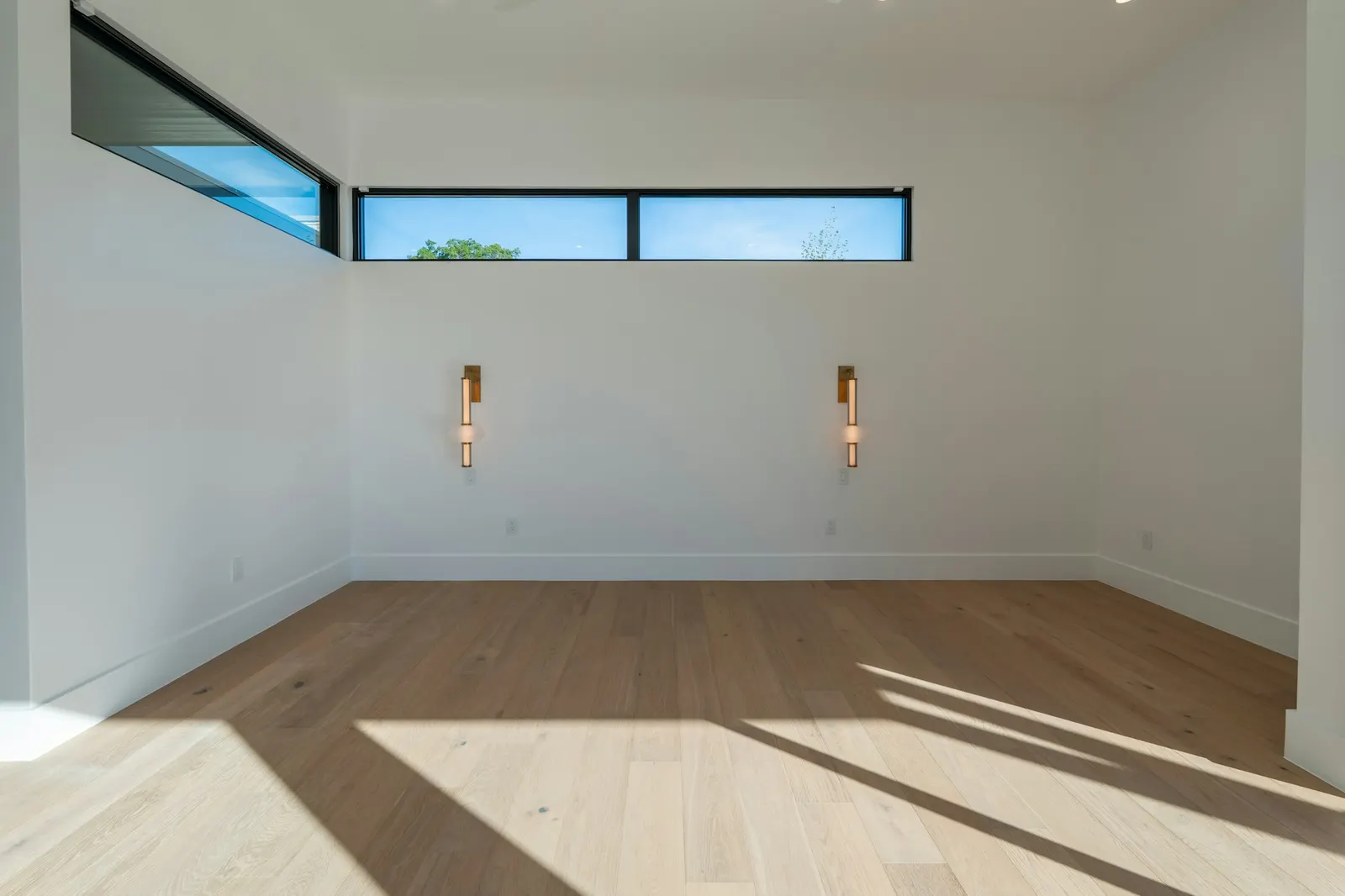 OriginalStaged
Four questions to ask any staging tool
| Ask | Why |
|---|---|
| Does it put the original pixels back? | A tool that only asks the AI to “keep the windows” is hoping. One that copies your original back over everything except the furniture is sure. |
| Does it show you what changed? | A change map, or an overlay against your original. Without one you are checking by eye, every time. |
| What happens if the AI changes the property anyway? | It should be caught and fixed before you get the photo, not left for you to spot. |
| What if the camera angle moved? | If the AI shifted the viewpoint, nothing in the photo can be trusted. The photo should not be delivered. |
Proven Staging answers yes to all four: only the furniture is kept, every photo comes with a change map, property changes are put back before you get the photo, and a photo whose angle moved is not sent.
Stage 3 listing photos free
- Add up to 3 photos of empty rooms and your email. We stage each one and check it.
- Each comes back by email with your original, its change map and a “Virtually staged” label.
- If a photo fails the check, we tell you why instead of sending it.
Questions agents ask
Why did AI staging change the windows in my photo?
Most AI image models generate a whole new image rather than editing part of the old one, even when told to leave the room alone. Fine detail far from the furniture, like the trees, sky and buildings through a window, is the easiest for them to redraw. In our tests on 3 November 2026 the AI changed the property in 6 of 14 photos, including window views; in a second run the same day it left all 6 rooms’ windows alone. It is intermittent, so every photo needs checking.
Does a changed window view matter if it looks nicer?
Yes. Under California AB 723 a digitally altered listing photo, including an altered window view, must be disclosed with access to the unaltered original. CRMLS rule 11.5(c) bans altering views at all, and buyers who view the home see the real one.
Is there a virtual staging tool that does not change the windows?
Several tools say so. The reliable ones put your original pixels back over everything except the added furniture, and show you the result. Proven Staging does that and sends a change map with every photo: the furniture outlined, everything else shown as your original.
Can I just fix the windows myself?
You can paste the original windows back in an image editor, layer by layer, if the camera did not move. It works for one photo; for a listing it is slow, and other small changes are easy to miss.
How do I check a staged photo for changes?
Open the original and the staged photo in two browser tabs at the same zoom and flick between them. Anything that jumps or flickers apart from the furniture has changed. Start with the windows, then floors, walls and light fittings.
Related: How to check a virtually staged photo didn’t change the room.