Guide for agents and photographers
How to check a virtually staged photo didn’t change the room
AI staging tools say they leave walls, floors and windows alone. Often they do. Sometimes they don't, and the buyer finds out at the viewing. Here is how to check a staged photo before it goes on the listing, and what to look at.
What a change looks like
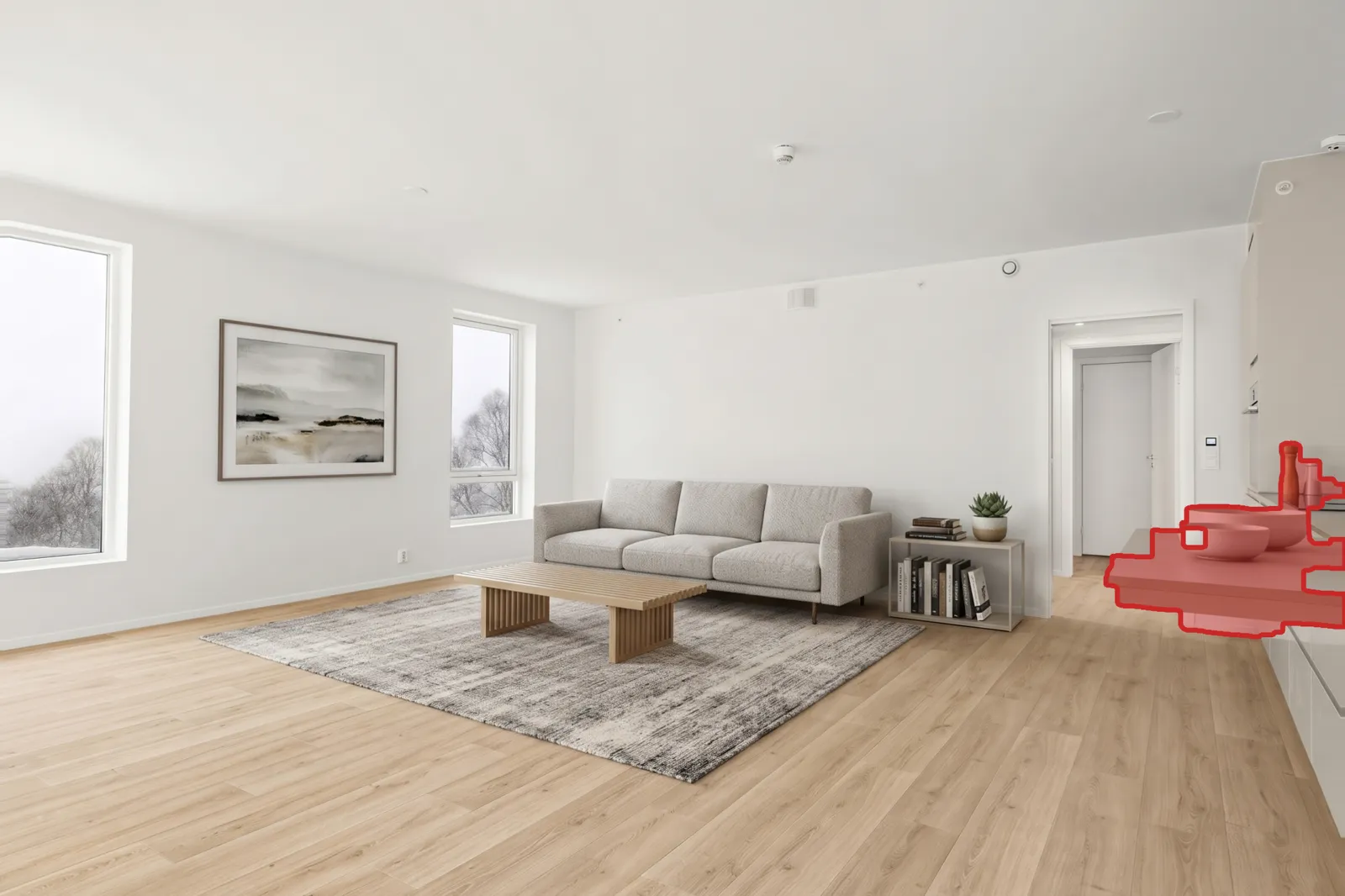
This empty room went through an AI stager with the instruction not to change the property. It added a sofa, a rug, a table and some art, and a kitchen worktop on the right that isn't in the house.
The 60-second check
- 1. Open both at full size. The original and the staged photo, each in its own browser tab, at the same zoom. Thumbnails hide everything.
- 2. Flick between them. Switch tabs back and forth. Anything that jumps, flickers or drifts has changed. Furniture should appear and disappear; nothing else should move.
- 3. Go round the room. Work through the list below, clockwise from the left edge, so you don't skip anything.
| Look at | For |
|---|---|
| Windows and the view | Trees, buildings and sky through each pane. AI tools redraw these often, and buyers notice at the viewing. |
| Walls and paint | Colour, texture, marks, and whether a wall has moved or a corner has gone. |
| Floor | Board direction, seams, grain and colour, especially where the rug meets the floor. |
| Skirting, trim and cornices | Continuity along every wall, and that nothing has been added or straightened. |
| Doors and door frames | Position, count, which way they open, handles. |
| Sockets, switches, thermostats, vents | Small fixtures are the first things a redraw loses or moves. |
| Light fittings and ceiling | Pendants, spots, fans, beams, and the ceiling texture. |
| Built-ins | Worktops, cabinets, fireplaces, shelving, radiators. A tool once added a worktop that wasn’t there. |
| Camera position | The same corners in the same places. If the angle moved, nothing else can be trusted. |
| Light and shadows | Furniture should be lit by the room’s own light, with shadows falling the same way as the window light. |
The automatic version: a change map
The check above is what a change map does for you. The staged photo is lined up with the original, compared pixel by pixel, and every area that changed is sorted into furniture or the property itself. The result is one image: what was added, outlined, and everything taken straight from the original, in grey.

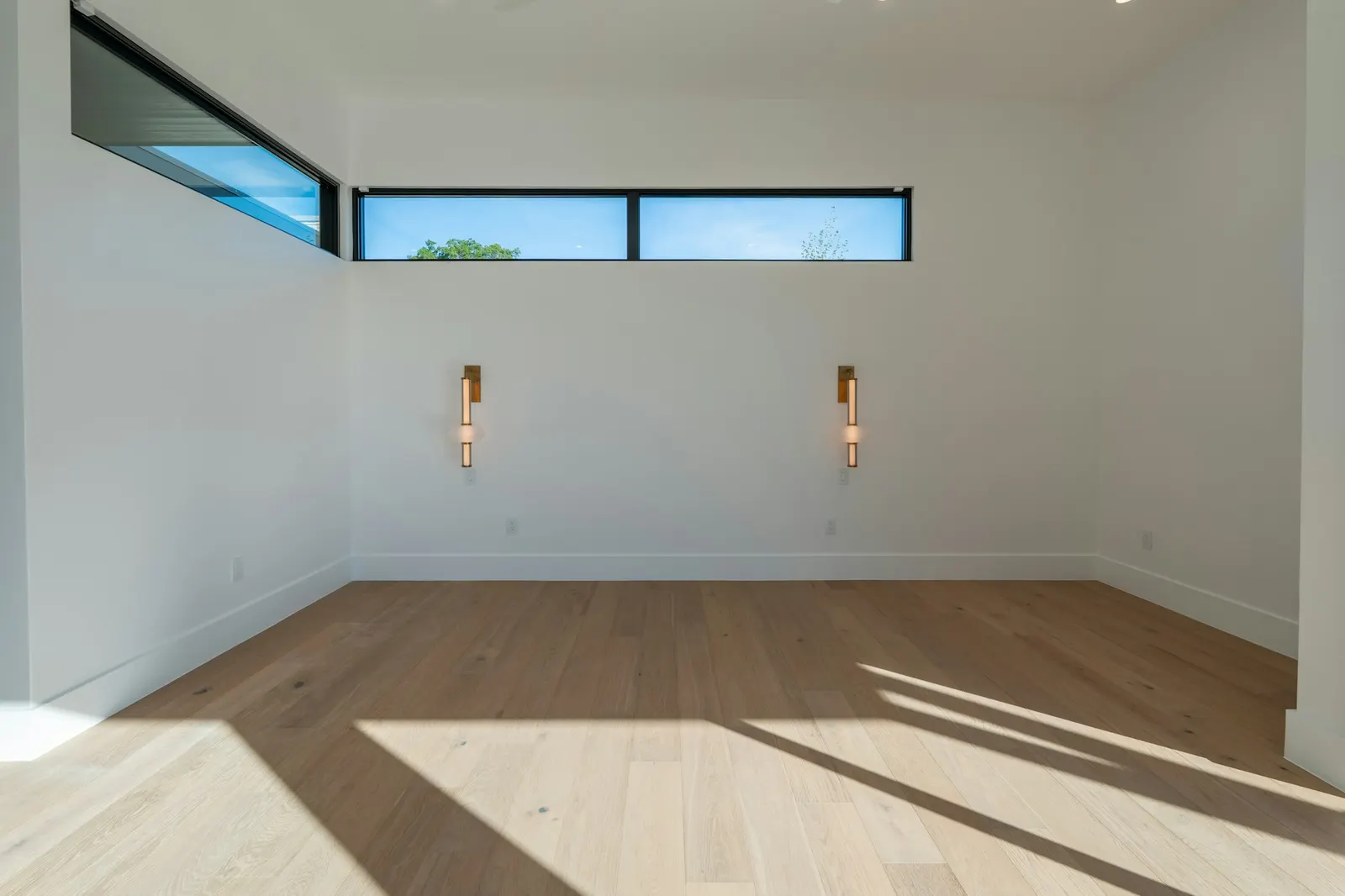 OriginalStaged
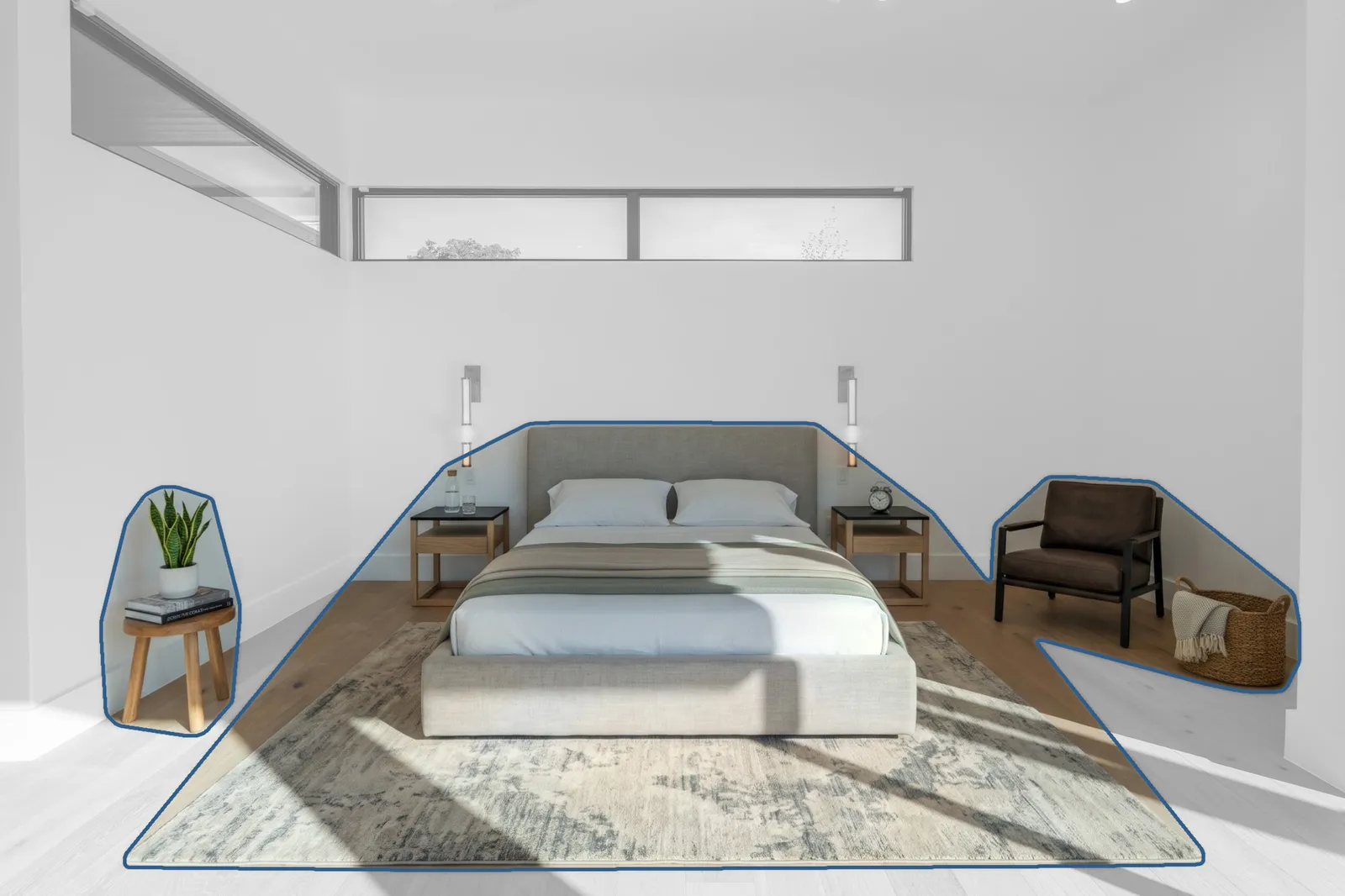
With Proven Staging the map is part of every photo, and when the AI has changed the property, the original is put back before the photo is sent. The map is also something you can show a seller, a buyer or your MLS.
Stage 3 listing photos free
Questions agents ask
Why would an AI stager change the room at all?
Most AI image tools generate a whole new image rather than editing part of the old one, even when told to leave the room alone. In our test of 15 empty listing photos, 7 came back with changes to the property: redrawn views through windows, an altered chandelier, a smudge on a wall, a new kitchen worktop, and in one case a different camera angle altogether.
Does a small change matter?
Legally, in California, any digitally altered image must be disclosed under AB 723, so the staging already needs a caption and a link to the original. The bigger risk is the MLS: CRMLS rule 11.5(c) says users may not alter photos to modify structural elements, flooring, walls, hardscape or views. A redrawn window view breaks that rule even though the furniture was the point.
What is the quickest way to compare two photos?
Put them in two browser tabs at the same zoom and switch between them with Ctrl+Tab (or Cmd+Shift+] on a Mac). Anything that moves or flickers changed. It is quicker and more reliable than side by side, because your eye catches movement.
What is a change map?
An image of the staged photo in which everything that was added is outlined in colour and everything taken from the original is shown in grey. It is produced by lining the staged photo up with the original, comparing them pixel by pixel, and sorting each changed area into furniture or property. Proven Staging sends one with every photo.
What should I do if the room did change?
Don’t publish it as staging. Either re-run the staging and check again, or use a service that keeps only the furniture from the AI output and puts the original back everywhere else, so the check is built in.
Related: California AB 723: what a virtually staged listing photo must include.